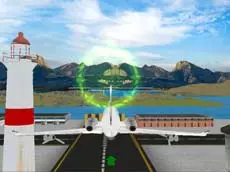
Airplane Simulation: Island Travel
Take to the skies in Airplane Simulation: Island Travel, a 3D flight simulator where players master aerial maneuvers while navigating through scenic island environments using precise keyboard and mouse controls.
About Airplane Simulation: Island Travel
Airplane Simulation: Island Travel offers a focused flying experience set within a three-dimensional coastal landscape. Players take control of an aircraft, using a combination of keyboard inputs for navigation and mouse movements for fine-tuned tilting. The game emphasizes the technical aspects of flight, requiring steady coordination to maintain altitude and direction while exploring the open air above the surrounding islands.
This simulator is designed for players who enjoy skill-based challenges and the sensation of virtual flight. By utilizing Unity 3D technology, the game provides a smooth environment for practicing aerial handling. Whether you are interested in perfecting your navigation or simply exploring the horizon, the simulation provides a straightforward yet engaging platform for aviation enthusiasts to test their flying abilities.
Why players like Airplane Simulation: Island Travel
- Responsive 3D flight mechanics
- Scenic island-themed environments
- Intuitive dual-input control scheme
- Relaxing yet skill-oriented simulation gameplay
Instructions
 = flying
 = tilt
How to play
Begin your flight by using the keyboard to manage your aircraft's movement. Use the WASD keys to steer through the air while simultaneously utilizing the mouse to adjust the tilt of the plane. Balancing these two inputs is essential for maintaining stability. Navigate through the 3D space, focusing on smooth transitions and careful orientation as you travel between the various island landmarks.
Tips for beginners
- Make small, gradual mouse movements to avoid over-tilting the aircraft.
- Combine WASD inputs with mouse adjustments for more complex aerial turns.
- Maintain a steady rhythm between keyboard and mouse inputs to ensure better control during maneuvers.