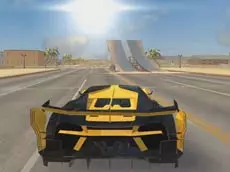
Turbo Car Driving
Turbo Car Driving offers a high-speed simulation experience where players test their skills behind the wheel, featuring vehicle upgrades and realistic driving mechanics in a 3D environment.
About Turbo Car Driving
This 3D driving simulator focuses on precision and speed across various environments. Built on the Unity engine, the game provides a solid foundation for players who enjoy technical driving and vehicle management. You can navigate through courses, managing your speed and handling to master the physics of the car. The inclusion of an upgrade system allows for progression, letting you enhance your vehicle's performance as you gain more experience.
The game appeals to fans of the racing genre who appreciate a balance between arcade-style action and simulation elements. Whether you are practicing your cornering or testing the limits of your engine, the gameplay emphasizes skill and control. It is a suitable choice for players looking for a straightforward yet engaging driving experience that rewards careful maneuvering and consistent improvement.
- Genre: Driving
- Platform: Browser
- Mode: Singleplayer
- Developer: webgameapp
- Recommended age: 3+
- Mobile support: No
- Release: 03/14/2019
Why players like Turbo Car Driving
- Detailed 3D environments powered by Unity technology.
- Progressive vehicle upgrade system to improve handling and speed.
- Multiple camera perspectives to suit different driving styles.
- Unique slow-motion feature for managing difficult maneuvers.
Instructions
 = drive
SPACE = brake
C = change camera
R = reset car
G = slow motion
How to play
Use the WASD keys to accelerate, steer, and reverse your vehicle. Maintain control by using the spacebar to brake when approaching sharp turns or obstacles. If you lose control or get stuck, use the reset key to return to the track. You can switch between different camera views to improve your visibility and utilize the slow-motion function to navigate through tight spaces or complex sections of the course more effectively.
Tips for beginners
- Use the slow-motion feature during high-speed turns to maintain a better racing line.
- Switch camera angles to get a better sense of your car's position relative to the track.
- Focus on handling upgrades first to make the car more responsive at high speeds.
- Utilize the reset function quickly if you veer off-course to minimize time loss.