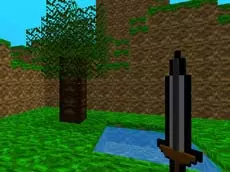
Mine Clone 3
Mine Clone 3 offers a browser-based creative experience where players explore a block-filled world, gathering materials and constructing structures using classic sandbox mechanics and intuitive controls.
About Mine Clone 3
Mine Clone 3 is a sandbox exploration game inspired by voxel-based building mechanics. It provides an open environment where the primary focus is on interacting with the world by mining various blocks and placing them to create unique structures. The game emphasizes creative freedom, allowing players to reshape the terrain according to their own designs using a variety of materials found throughout the map.
This title suits players who enjoy methodical building and unstructured gameplay. With a simple inventory system and straightforward movement, it focuses on the core loop of resource management and construction. Whether you are aiming to build a simple shelter or a complex architectural project, the game provides the essential tools to transform a digital landscape directly in your browser.
- Genre: Strategy
- Platform: Browser
- Mode: Singleplayer
- Mobile support: No
- Release: 03/20/2018
Why players like Mine Clone 3
- Open-ended sandbox environment for creative expression.
- Simple mining and building mechanics that are easy to learn.
- Accessible inventory system for managing collected materials.
- Relaxing gameplay pace without forced objectives.
Instructions
 = move
 = mining and building
SPACE = jump
I = inventory
P = pause
How to play
Navigate the world using your keyboard to find interesting locations or specific block types. Use your mouse to interact with the environment: clicking allows you to mine resources or place new blocks from your inventory. Open your inventory to see available materials and manage what you have gathered. The focus is on exploration and construction, giving you the freedom to modify the world as you see fit.
Tips for beginners
- Check your inventory frequently to see which materials you have collected for building.
- Use the pause menu if you need to take a break from your construction project.
- Experiment with different block types to see how they look when placed together.