Medieval VS Aliens
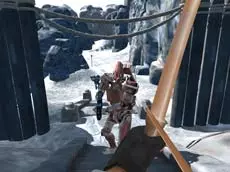
Experience a unique clash of eras in Medieval VS Aliens, a 3D first-person shooter where you defend a historical setting against an unexpected extraterrestrial invasion.
About Medieval VS Aliens
Medieval VS Aliens drops players into a high-stakes scenario where traditional settings meet sci-fi threats. As a 3D first-person shooter, the game emphasizes precision and awareness as you navigate historical environments to eliminate alien targets. The contrast between the medieval backdrop and the advanced invaders creates a distinct visual atmosphere that sets it apart from standard military shooters.
The gameplay focuses on skill and progression, requiring steady aim and quick reflexes to manage the increasing difficulty. Using a mouse and keyboard setup, you must explore the 3D space, identify threats at various ranges, and maintain control under pressure. It is an ideal choice for players who enjoy simulation-style shooting mechanics within an unconventional and imaginative premise.
Why players like Medieval VS Aliens
- Unique crossover of medieval aesthetics and sci-fi combat.
- Immersive 3D first-person perspective.
- Skill-based shooting mechanics that reward precision.
- Engaging progression system within a simulator framework.
Instructions


P = pause
How to play
Navigate the 3D environment using the WASD keys to position yourself strategically against incoming threats. Use your mouse to aim and fire at targets, focusing on accuracy at different ranges. Your goal is to eliminate the alien presence while managing your movement to avoid being overwhelmed. If you need to step away or adjust your strategy, press P to pause the action at any time.
Tips for beginners
- Keep moving with WASD to make yourself a harder target for enemies.
- Take advantage of the mouse precision to land shots from a safe distance.
- Use the pause feature to assess your surroundings if the action becomes too intense.