- Games
- Multiplayer
- Kogama Animations
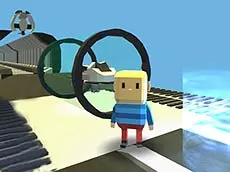
Kogama Animations
Join the creative community of Kogama Animations to explore user-generated environments and interact with various animated elements in a shared multiplayer space.
About Kogama Animations
Kogama Animations offers a social multiplayer experience where players navigate through diverse 3D environments created by the community. As part of the broader KoGaMa universe, this title focuses on interaction and exploration within stylized blocky worlds. Players can move freely, interact with specific objects, and observe various animations that bring the surroundings to life.
The game suits players who enjoy social platforms and discovering player-made content. Because it relies on user creativity, the experience often changes based on which animations and structures are currently featured. It provides a relaxed pace where the primary goal is to see what others have built and engage with the environment at your own speed.
- Genre: Multiplayer
- Platform: Browser
- Mode: Multiplayer
- Developer: KoGaMa
- Recommended age: 7+
- Mobile support: No
- Release: 05/07/2015
Why players like Kogama Animations
- Diverse community-created animations and structures
- Seamless multiplayer interaction with other players
- Accessible 3D exploration in a blocky art style
- Frequent updates and new content from the user base
Instructions

E = interaction
SPACE
K = kill yourself
How to play
Navigate the 3D world using the arrow keys and use the spacebar to jump over obstacles. When you encounter interactive elements or objects, press the E key to trigger animations or engage with the environment. If you find yourself stuck or need to restart your position, use the K key to respawn. Explore the map to find all the hidden animated sequences placed by the creators.
Tips for beginners
- Use the interaction key near different objects to see which ones have unique animations.
- Observe other players to discover interesting areas or hidden paths within the level.
- If you get trapped in the geometry, use the respawn shortcut to quickly reset your position.