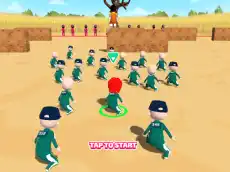
BattleSquidGame
BattleSquidGame is a mouse-driven action clicker that blends adventure elements with high-stakes gameplay, challenging players to navigate intense scenarios using precise timing and rapid clicks.
About BattleSquidGame
BattleSquidGame combines action and adventure within a clicker format, focusing on direct mouse interactions. Built on the Unity 3D engine, the game provides a visual experience where players must engage with specific targets to progress. Its 16+ rating suggests a more mature theme, likely centered around the action and killing tags, requiring focus and a steady hand to succeed.
This title appeals to fans of clicker games who want more than just passive progression. By integrating adventure elements, it moves beyond simple idle mechanics, demanding active participation. The WebGL-based performance ensures smooth mouse tracking, which is essential for the fast-paced nature of the gameplay as players work through various levels and challenges.
Why players like BattleSquidGame
- Straightforward mouse-based action mechanics.
- Engaging blend of clicker and adventure genres.
- Smooth 3D visuals powered by Unity technology.
- Challenging gameplay suited for mature players seeking active engagement.
Instructions

How to play
To play BattleSquidGame, use your mouse to interact with the environment and targets. As an action clicker, success depends on the speed and accuracy of your clicks. Navigate through different adventure segments by identifying key objectives and clicking them to resolve conflicts or move forward. Since the game is designed for desktop browsers, ensure your mouse movement is unobstructed for the best performance during intense action sequences.
Tips for beginners
- Maintain a consistent clicking rhythm to handle sudden shifts in action.
- Keep your mouse cursor centered to react quickly to targets appearing on either side of the screen.
- Focus on precision over raw speed to ensure every click counts toward your current objective.