Сannoneer
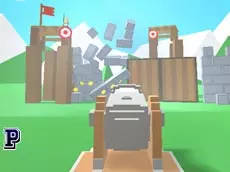
Cannoneer is a skill-based shooting game where players must manage different ammunition types to overcome challenges in a fast-paced action environment built with Unity 3D.
About Сannoneer
Cannoneer focuses on precision and tactical decision-making within the shooting genre. As a skill-driven title, it requires players to react quickly while managing their resources effectively. The core gameplay centers on the ability to toggle between ammo types, suggesting that different targets or obstacles require specific approaches to clear successfully. This mechanic adds a layer of strategy beyond simple aiming, forcing players to think while they fire.
Developed by Haradan, the game utilizes WebGL technology for a smooth browser-based experience. It appeals to fans of arcade-style shooters who enjoy mastering mechanical timing and ammo management. The straightforward control scheme allows for immediate action, making it an ideal choice for players looking to test their reflexes and accuracy in short, intense sessions where every shot counts toward a high score.
Why players like Сannoneer
- Mechanical depth provided by the ammo-swapping system.
- Fast-paced action that rewards quick reflexes and timing.
- Clean Unity 3D visuals and responsive browser performance.
- Simple, intuitive controls that make the game easy to start.
Instructions
SPACE = start game
left  = shoot
right = change ammo
R = restart
How to play
Begin the session by pressing the space bar. Use your mouse to aim and fire at targets. Success depends on your ability to switch ammo types using the right mouse button, ensuring you use the correct projectile for the specific situation. If you find yourself in a difficult spot or want to improve your performance, press the R key to restart the level immediately and try a new tactical approach.
Tips for beginners
- Learn the specific effects of each ammo type to react faster during intense moments.
- Keep your hand ready on the right mouse button for rapid ammunition swaps.
- Use the restart key to practice difficult sections and refine your shooting accuracy.