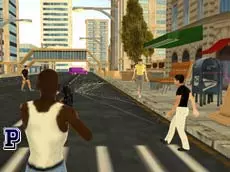
Grand Gang: Crime Island
Explore an open environment where you can engage in intense combat, drive various vehicles, and pilot helicopters in this action-packed sandbox inspired by urban crime adventures.
About Grand Gang: Crime Island
Grand Gang: Crime Island offers a versatile sandbox experience set in an expansive island environment. Players can navigate the terrain on foot or take command of different transportation options, ranging from street cars to helicopters. The gameplay integrates elements of shooting, fighting, and high-speed driving, allowing for a varied approach to exploring the map and engaging with its challenges.
The game focuses on freedom of movement and tactical flexibility. Whether you prefer ground-based combat or aerial maneuvers, the mechanics support diverse playstyles. Its blend of traditional action and vehicle simulation makes it a compelling choice for fans of urban-themed adventure games who enjoy discovering hidden corners of a large, interactive world.
Why players like Grand Gang: Crime Island
- Seamless transition between walking, driving, and flying mechanics.
- Expansive island map designed for free-roam exploration.
- Variety of weapon options for diverse combat scenarios.
- Responsive controls for both ground vehicles and helicopters.
- Freedom to choose your own pace and playstyle within the sandbox.
Instructions


ESC = options
R = restart game
F = enter/leave car
SHIFT = run
SPACE = jump
scroll = change weapon
C = change camera
Q = walk
E = flashlight/restart car
 = helicopter control
How to play
Navigate the island using standard movement keys and use the mouse to aim your weapons. When near a vehicle, press the interaction key to enter and take control. You can switch between different camera perspectives to find the best view for driving or combat. Use the scroll wheel to cycle through your arsenal and adapt to different threats. Helicopter flight requires specific directional inputs to maintain stability and reach high-altitude areas.
Tips for beginners
- Switch camera views to improve visibility when navigating tight corners in a vehicle.
- Use the sprint function to quickly move between cover during intense firefights.
- Master the helicopter controls in open areas before attempting to land in narrow spaces.
- If a vehicle becomes immobilized, use the dedicated restart function to quickly get back into the action.