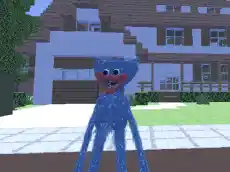
Huggy Wuggy in Minecraft
Experience a survival action encounter where the blocky world of Minecraft meets the chilling presence of Huggy Wuggy in a high-stakes pursuit across 3D environments.
About Huggy Wuggy in Minecraft
Huggy Wuggy in Minecraft blends the iconic aesthetic of voxel-based worlds with the suspense of a horror-themed action game. Players navigate blocky terrains while dealing with the looming threat of a familiar blue antagonist, creating a tense atmosphere that tests both movement skills and reflexes. The game utilizes 3D graphics to deliver a smooth perspective, emphasizing environmental awareness and quick reactions during every encounter.
This title is designed for fans of survival action who enjoy the creative visual style of block-building games but crave a more focused, high-pressure experience. With straightforward movement mechanics and a clear objective of survival, it offers a fast-paced challenge suitable for players looking for a quick, atmospheric session directly in their browser.
Why players like Huggy Wuggy in Minecraft
- Tense atmosphere combining horror elements with a familiar blocky art style.
- Responsive 3D controls that make navigating the environment feel fluid.
- Direct action gameplay focused on survival and quick decision-making.
- Accessible performance powered by Unity 3D for smooth browser play.
Instructions


SPACE = jump
TAB = pause
How to play
Navigate the map using standard movement keys to maintain distance from your pursuer. Use the mouse to look around and keep Huggy Wuggy in your sight, as spatial awareness is key to staying safe. The jump mechanic allows for clearing obstacles or reaching higher ground to avoid being cornered. Success depends on your ability to maneuver through the terrain while managing these action-heavy encounters.
Tips for beginners
- Keep moving at all times to prevent the antagonist from closing the gap and catching you.
- Use the jump key to navigate uneven terrain and find shortcuts through the environment.
- Regularly rotate your view with the mouse to track your enemy's current position and direction.
- Utilize the pause function if you need a moment to assess your surroundings and plan a path.