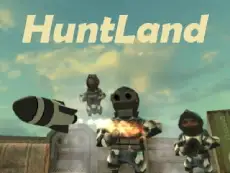
Huntland
Huntland offers an action-driven adventure where players navigate environments, interact with objects, and engage in combat using a variety of weapons to survive the challenges ahead.
About Huntland
Huntland is an action-adventure title built with Unity 3D, focusing on exploration and combat. Players navigate through various environments using keyboard and mouse controls, interacting with the world to progress. The gameplay blends fighting mechanics with gunplay, requiring players to manage their surroundings and handle objects effectively to overcome obstacles.
The game emphasizes a hands-on approach to adventure, allowing for manual interaction with items and a save system to track progress. It suits players who enjoy atmospheric action games that require both precise aiming and environmental awareness. With its focus on interaction and combat, the experience provides a steady pace of exploration and engagement within a 3D space.
- Genre: Action
- Platform: Browser
- Mode: Singleplayer
- Developer: ThingsPool
- Recommended age: 7+
- Mobile support: No
- Release: 01/12/2022
Why players like Huntland
- Engaging mix of exploration and combat mechanics.
- Interactive environment allowing for object manipulation.
- Accessible save system to preserve game progress.
- Smooth 3D movement and responsive mouse-based aiming.
Instructions


E = interact
R = release object
P = save game
H = info
KM = mouse sensitivity
How to play
Move through the world using the WASD keys and use your mouse to aim and interact with the environment. Press 'E' to pick up or use objects, and 'R' when you need to release them. Combat involves utilizing available weapons to defeat enemies. Be sure to use the 'P' key regularly to save your progress as you venture further into the adventure.
Tips for beginners
- Use the sensitivity keys to find an aiming speed that fits your playstyle.
- Keep an eye out for interactive objects that can help you navigate or fight.
- Save your game frequently to ensure you do not lose progress after difficult encounters.
- Check the info screen by pressing 'H' if you need a quick reminder of the mechanics.