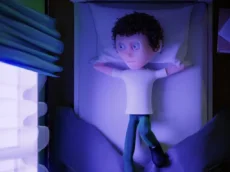
Cursed Dreams
Cursed Dreams is a browser-based adventure game that blends casual exploration with eerie themes, challenging players to navigate mysterious environments while managing keyboard-driven interactions.
About Cursed Dreams
This title combines the accessibility of casual gameplay with the atmospheric tension of a scary adventure. Players navigate through surreal landscapes, utilizing simple keyboard inputs to interact with their surroundings. The game focuses on exploration and atmosphere, creating a sense of unease as you uncover the secrets hidden within the dreamlike world.
Developed by pitigamedev, the game is designed for players who enjoy light horror elements and discovery-based progression. Its cross-platform compatibility ensures that the experience remains fluid whether you are playing on a desktop or a mobile device. It is an ideal choice for those seeking a quick yet immersive journey into a uniquely unsettling environment.
- Genre: Casual
- Platform: Browser
- Mode: Singleplayer
- Developer: pitigamedev
- Recommended age: 7+
- Mobile support: Yes
- Release: 10/21/2023
Why players like Cursed Dreams
- Atmospheric and eerie setting
- Simple, intuitive control scheme
- Accessible adventure gameplay for casual sessions
- Engaging blend of exploration and mild scares
Instructions

E M
How to play
Use the arrow keys to move through the environment and explore your surroundings. Interaction is handled via specific keys like 'E' for actions or 'M' for additional functions. Pay close attention to the visual cues in each area to understand how to progress. The game balances movement and interaction to guide you through its mysterious narrative path, requiring both curiosity and steady navigation.
Tips for beginners
- Observe environmental details carefully to find interaction points.
- Use the 'E' key whenever you encounter objects that seem significant.
- Keep an eye on the layout to avoid getting lost in the darker sections.
- Experiment with the 'M' key to see how it affects your current state or view.