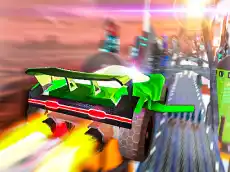
Flying Cars Era
Experience a high-speed driving simulation where cars take to the skies, offering a mix of traditional racing and aerial maneuvers for solo players or local duos.
About Flying Cars Era
Flying Cars Era combines 3D driving mechanics with the ability to soar through the air, creating a versatile racing environment. Players can navigate complex courses that require both grounded precision and aerial control. The game features various modes that cater to different playstyles, focusing on speed and technical maneuvering using nitro boosts and handbrakes to master tight corners or long jumps.
The inclusion of a dedicated two-player mode allows for local competitive play on a single keyboard. This makes it an ideal choice for friends looking to test their driving skills against each other in a futuristic setting. Whether you are performing high-speed drifts or resetting your position after a difficult stunt, the gameplay emphasizes responsive handling and momentum.
- Genre: Driving, 3D
- Platform: Browser
- Mode: Singleplayer
- Developer: RHM Interactive
- Recommended age: 7+
- Mobile support: No
- Release: 07/12/2021
Why players like Flying Cars Era
- Engaging blend of ground-based driving and flight mechanics.
- Local two-player mode for competitive head-to-head racing.
- Smooth 3D graphics and responsive vehicle physics.
- Strategic use of NOS for bursts of speed during critical moments.
Instructions
1 Player mode

SHIFT = NOS
SPACE = handbrake
R = reset
B = look back
2 Players mode
Player 1:
right SHIFT = NOS
P = handbrake
O = reset position
L = look back
Player 2

left SHIFT = NOS
SPACE = handbrake
R = reset car
T = look back
How to play
Choose between single-player or two-player modes to begin your session. Use the arrow keys or WASD to steer your vehicle across the terrain. Activate NOS for a speed boost when you need to clear gaps or overtake opponents. Utilize the handbrake for sharper turns and the reset function if your car becomes stuck or flips. Keep an eye on your surroundings by using the look-back feature to track rivals.
Tips for beginners
- Use the handbrake to maintain control during high-speed drifts around sharp bends.
- Save your NOS for straightaways or long jumps to maximize distance while airborne.
- Regularly use the look-back key to monitor the distance between you and other racers.
- Use the reset button quickly if you lose momentum or go off-course to minimize time loss.