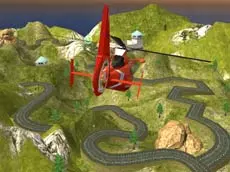
Helicopter Rescue Operation 2020
Take control of a rescue chopper in this 3D flight simulator where precision and steady handling are key to completing challenging aerial missions and technical upgrades.
About Helicopter Rescue Operation 2020
Helicopter Rescue Operation 2020 is a flight simulation game that puts you in the pilot's seat of a rescue aircraft. Using a 3D environment, the game focuses on the technical aspects of maneuvering a helicopter through various scenarios. Players must manage altitude and rotation carefully to navigate the airspace effectively. The inclusion of upgrades allows for a progression path where improving your vehicle's capabilities is essential for mastering the flight physics.
This simulator is designed for those who enjoy skill-based flying mechanics. It requires a steady hand and a good understanding of spatial orientation to succeed. Whether you are interested in the mechanics of flight or the specific challenges of rescue-themed missions, this title offers a focused experience on the intricacies of helicopter control and mission execution.
Why players like Helicopter Rescue Operation 2020
- Realistic 3D flight simulation mechanics.
- Engaging progression through aircraft upgrades.
- Challenging rescue-themed mission objectives.
- Intuitive keyboard controls for precise maneuvering.
Instructions
 = fly
= fly
SHIFT = fly up
SPACE = fly down
QE = rotate
How to play
Use the WASD keys to guide your helicopter through the air while managing your altitude with the Shift and Space keys. Rotation is handled via the Q and E keys, allowing for precise positioning during missions. Focus on maintaining a stable flight path to reach your objectives efficiently. As you progress, look for opportunities to upgrade your helicopter, which can help you handle more demanding flight conditions and mission requirements.
Tips for beginners
- Use short, rhythmic taps on the altitude keys to maintain a steady hover.
- Combine rotation with forward movement for smoother, more natural turns.
- Prioritize upgrades that improve handling to make rescue missions easier.
- Keep a close eye on your surroundings to avoid obstacles while descending for a landing.