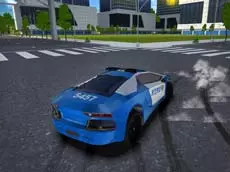
Police Car Offroad
Take control of a law enforcement vehicle in Police Car Offroad, a driving simulator designed for navigating rugged terrain while utilizing authentic police features like functional emergency lights.
About Police Car Offroad
Police Car Offroad focuses on the technical aspects of driving a police vehicle outside of paved city streets. As a simulator, it emphasizes the handling of the car across uneven landscapes, requiring players to manage their speed and direction carefully to avoid flipping or getting stuck. The inclusion of a toggleable police light system adds a layer of roleplay to the driving experience, allowing you to signal your presence in the wilderness.
The game utilizes a 3D environment to provide a sense of scale, offering multiple camera perspectives to help players navigate the terrain more effectively. It is well-suited for fans of driving simulators who enjoy exploring open environments at their own pace. The focus remains on the physics of off-road traversal and the specific challenge of operating a specialized utility vehicle in non-traditional settings.
Why players like Police Car Offroad
- Realistic off-road driving physics on rugged terrain.
- Toggleable police emergency lights for an immersive experience.
- Multiple camera angles to suit different driving preferences.
- Straightforward keyboard controls that are easy to master.
Instructions
 = drive
C = camera
E = police lights
R = reset
How to play
Use the WASD keys to steer and accelerate your vehicle through the off-road environment. If you find yourself stuck or overturned on a steep incline, use the reset function to return to a stable position. You can switch between different camera views to get a better perspective of the obstacles ahead. Activate the police lights at any time to enhance the simulation as you explore the map.
Tips for beginners
- Switch camera views frequently to better judge the steepness of hills and upcoming obstacles.
- Use the reset key immediately if your vehicle becomes wedged in narrow terrain to save time.
- Approach large bumps and steep ridges at a controlled speed to maintain vehicle stability.