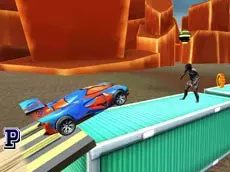
RoadKill Car Zombie Dead Hit
Navigate a vehicle through a zombie-infested environment in this driving skill game where your goal is to hit targets and clear the path to progress.
About RoadKill Car Zombie Dead Hit
RoadKill Car Zombie Dead Hit combines driving mechanics with an apocalyptic setting. Players take control of a vehicle, using straightforward keyboard inputs to move forward and navigate the terrain. The core experience focuses on precision and timing as you drive through areas populated by zombies, aiming to hit them to clear your way.
The game emphasizes skill and steady progression through its levels. As a WebGL-based title, it offers a 3D environment where driving physics play a role in how you handle the car. It is suitable for players who enjoy automotive challenges mixed with the classic theme of surviving a zombie encounter through vehicular force.
Why players like RoadKill Car Zombie Dead Hit
- Simple driving mechanics that are easy to pick up and play.
- Satisfying progression as you navigate through different areas.
- 3D visuals powered by Unity for an immersive driving environment.
- Classic zombie-themed action focused on vehicular impact.
Instructions
↑/↓ = ride
ESC = pause
How to play
Use the keyboard to control your vehicle's movement. Press the up key to drive forward and the down key to reverse or slow down. Your primary objective is to navigate the car through the environment while hitting zombies in your path. Success depends on maintaining control of the vehicle and managing your speed to effectively clear obstacles and reach the end of the stage.
Tips for beginners
- Maintain a steady speed to ensure you do not lose control during collisions.
- Use the reverse key to reposition if you get stuck on the terrain or obstacles.
- Focus on hitting zombies directly to ensure they are effectively cleared from your path.
- Pause the game using the escape key if you need to assess the terrain ahead.