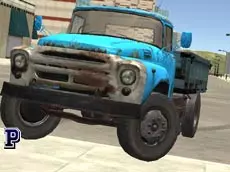
Top Speed 3D
Top Speed 3D offers a technical driving simulation where players can explore detailed 3D environments, manage realistic car functions, and switch between various vehicles and maps instantly.
About Top Speed 3D
Top Speed 3D is a driving simulator that emphasizes vehicle control and variety. Unlike standard arcade racers, this title provides players with manual control over specific car functions, such as the engine ignition and clutch, allowing for a more deliberate driving experience. The 3D environment is designed for exploration, giving players the freedom to test different cars across multiple maps.
The game caters to fans of automotive simulation who enjoy the technical aspects of driving. With the ability to swap vehicles and environments on the fly, it focuses on the sensation of handling different machinery. Whether navigating open spaces or testing the limits of the handbrake, the emphasis remains on the interaction between the player and the vehicle's mechanics.
- Genre: Driving, 3D
- Platform: Browser
- Mode: Singleplayer
- Developer: Faramel Games
- Mobile support: No
- Release: 08/15/2017
Why players like Top Speed 3D
- Manual car features like engine ignition and clutch control
- Ability to switch between different cars and maps instantly
- Built-in snapshot tool for capturing driving moments
- Detailed 3D environments optimized for browser play
Instructions
 = ride
T = snapshot
R = car repair
C = change camera
GH = change car
M = change map
SHIFT = clutch
I = engine on/off
SPACE = handbrake
How to play
Start by turning the engine on and using the arrow keys to drive. You can navigate through the available maps and switch your vehicle using designated keys to find the setup that suits your driving style. Use the handbrake for sharp turns and the clutch for more precise gear management. If the vehicle sustains damage during your session, use the repair function to restore it to its original condition.
Tips for beginners
- Use the snapshot key to capture high-quality images of your car in different environments.
- Experiment with the various camera angles to find the best perspective for technical maneuvers.
- Remember to engage the engine before attempting to drive, as the car will not move otherwise.
- Cycle through different maps to test how each vehicle handles on various terrains.