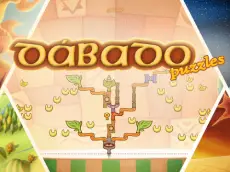
Dabado Puzzles Demo
Dabado Puzzles Demo offers a focused logic challenge where players manipulate blocks on a grid to solve spatial puzzles using precise keyboard controls and strategic planning.
About Dabado Puzzles Demo
This logic-based puzzle game emphasizes spatial reasoning and careful placement. As a demo version, it introduces the core mechanics of the Dabado series, tasking players with organizing various blocks within a defined grid. The gameplay relies on keyboard inputs, requiring players to think several steps ahead to ensure every piece fits into the layout according to the logic of the level.
Developed by 7Games, the title provides a clean Unity 3D interface that highlights the geometric nature of the puzzles. It is well-suited for fans of traditional block-fitting games who enjoy a methodical pace. The inclusion of tools like grid toggles and block previews allows for a calculated approach to solving each level's unique spatial arrangement without unnecessary pressure.
Why players like Dabado Puzzles Demo
- Clean and focused logic-based gameplay.
- Useful visual aids like the grid toggle for precision.
- Tactile keyboard-driven block manipulation.
- A calm, methodical approach to solving spatial puzzles.
Instructions

G = grid
N = next block
SPACE = pause
How to play
Use the arrow keys to position and orient blocks within the play area. The objective involves fitting the pieces efficiently on the grid. You can toggle the grid view for better alignment and check the upcoming block to plan your next move. If you need a moment to assess the board, use the pause function to stop the action while you strategize your layout.
Tips for beginners
- Toggle the grid view frequently to ensure precise block alignment with the boundaries.
- Always check the next block preview to avoid placing current pieces in a way that blocks future moves.
- Use the pause key if the layout becomes complex and you need time to visualize the final solution.