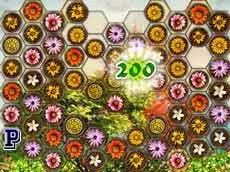
Four Seasons
Four Seasons is a logic-based puzzle game where players navigate through thematic challenges using simple mouse controls to progress through levels inspired by the changing times of the year.
About Four Seasons
This puzzle title focuses on logical thinking and progression. Developed using Unity 3D, it offers a clean visual experience centered around the four seasons. Players must interact with various elements on the screen to solve puzzles and advance through the game’s stages. The gameplay emphasizes steady progress and thoughtful interaction rather than fast-paced action, allowing for a more meditative approach to problem-solving.
The game is designed for players who enjoy methodical logic puzzles and atmospheric environments. By utilizing the mouse for all interactions, the interface remains accessible while the puzzles provide a consistent challenge. It is an ideal choice for those looking for a focused browser-based experience that rewards careful observation and logical deduction as they move through different seasonal phases.
- Genre: Logic
- Platform: Browser
- Mode: Singleplayer
- Developer: Roman Nepšinský
- Mobile support: No
- Release: 01/04/2017
Why players like Four Seasons
- Methodical logic-based puzzles
- Clean Unity 3D visual presentation
- Simple and intuitive mouse-driven interface
- Satisfying sense of level progression
- Thematic variety based on the seasons
Instructions

How to play
Use your mouse to interact with the objects and environment within each level. Observe the layout carefully to identify the logical steps required to move forward. Each stage presents a unique puzzle that must be solved to unlock the next part of the seasonal journey. Focus on finding the correct sequence of actions to ensure steady progress through the increasingly complex logic challenges presented in each new environment.
Tips for beginners
- Observe the entire screen before making your first move to understand the layout.
- Look for interactive elements that provide visual feedback when clicked.
- Pay close attention to how different objects in the scene react to one another.
- Think several steps ahead to determine the correct order of operations.