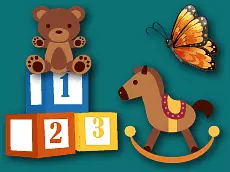
Fun Learning For Kids
Fun Learning For Kids offers a collection of logic-based puzzles designed to help young children develop basic cognitive skills through interactive and colorful browser-based challenges.
About Fun Learning For Kids
This educational title focuses on logic and puzzle-solving tailored specifically for a younger audience. By presenting various interactive tasks, it encourages children to think critically while engaging with a user-friendly interface. The game utilizes simple mechanics to ensure that even the youngest players can navigate through the different activities without frustration, making it an ideal starting point for early learners.
Designed with accessibility in mind, the game features bright visuals and straightforward objectives. It serves as an introductory tool for kids to practice problem-solving and coordination. Whether played on a desktop or a mobile device, the experience remains consistent and responsive, providing a versatile option for productive screen time that focuses on foundational logic skills.
- Genre: Logic
- Platform: Browser
- Mode: Singleplayer
- Developer: BestGamesFreePlay
- Recommended age: 3+
- Mobile support: Yes
- Release: 02/11/2020
Why players like Fun Learning For Kids
- Child-friendly interface with intuitive navigation.
- Promotes early development of logic and cognitive skills.
- Accessible across both mobile and desktop platforms.
- Bright and engaging visual design suitable for young children.
Instructions

How to play
Use the mouse or touch screen to interact with the elements on the screen. Players must observe each puzzle's layout and determine the correct logical sequence or placement to progress. The game guides users through various tasks that require identifying patterns or solving simple spatial problems. Simply click or tap on the objects to move them or trigger specific actions within each level.
Tips for beginners
- Take a moment to observe the entire screen before clicking to understand the puzzle's logic.
- If a child is stuck, encourage them to try interacting with different objects to see what happens.
- Playing on a tablet can provide a more tactile experience for younger children who are still learning mouse control.