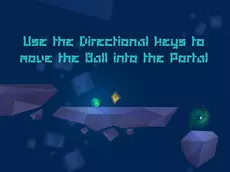
Gravity Ball
Gravity Ball is a physics-based logic puzzle that challenges you to navigate a ball through intricate environments using precise movement and environmental interactions to solve each level.
About Gravity Ball
Gravity Ball focuses on spatial reasoning and methodical problem-solving within a clean Unity 3D environment. Players must guide a ball through various layouts, interpreting the level design to find the correct path. The game emphasizes precision, requiring you to manage momentum and direction carefully while engaging with specific interactive elements to progress. It is designed for those who enjoy logic-driven gameplay that rewards patience and careful observation.
The experience is built around a core loop of trial and error, where understanding the physics of the ball is as important as solving the puzzle itself. With its minimalist approach and responsive keyboard controls, the game provides a focused atmosphere. It suits players who prefer a pure puzzle experience where success depends on mastering the mechanics and identifying the logic behind every obstacle.
- Genre: Logic
- Platform: Browser
- Mode: Singleplayer
- Mobile support: No
- Release: 02/04/2017
Why players like Gravity Ball
- Challenging logic puzzles that require careful planning.
- Smooth physics-based movement and responsive controls.
- Clean Unity 3D graphics that focus on the gameplay.
- Satisfying trial-and-error mechanics for puzzle enthusiasts.
Instructions
 = move
SPACE = interaction
R = restart
ESC = pause
How to play
Use the arrow keys to direct the ball through the level, maintaining control over its speed and positioning. Press the space bar to interact with the environment and trigger necessary changes to the level's state. If you reach a dead end or make a mistake, use the R key to instantly restart. Success depends on analyzing the layout and timing your movements to navigate each logical challenge safely.
Tips for beginners
- Study the entire level before moving to identify potential hazards.
- Use light taps on the arrow keys for better precision in narrow sections.
- Experiment with the interaction key to see how it alters the path ahead.
- Restart quickly if you lose momentum or get stuck to refine your strategy.