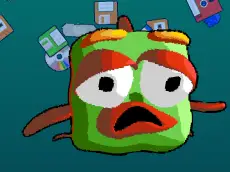
Microplastics Feeding
Microplastics Feeding is a logic-driven arcade game where you use mouse clicks to navigate environmental challenges and manage how marine creatures interact with microplastics.
About Microplastics Feeding
This title combines simple clicker mechanics with logic-based puzzles set in an aquatic environment. Players must interact with various elements on the screen to guide the flow of microplastics, requiring both steady timing and a bit of foresight to solve each level's specific layout. The game’s animal-themed presentation provides a clear visual context for the arcade-style gameplay.
Designed for accessibility, the experience focuses on direct interaction via mouse or touch screen. It suits players who enjoy puzzles that test observation skills rather than just fast reflexes. The progression introduces different scenarios that challenge your understanding of the game's physics and logic, making each stage a fresh micro-puzzle to solve.
- Genre: Logic
- Platform: Browser
- Mode: Singleplayer
- Developer: pitigamedev
- Recommended age: 7+
- Mobile support: Yes
- Release: 02/01/2023
Why players like Microplastics Feeding
- Engaging blend of arcade clicking and logical puzzle-solving.
- Simple, intuitive controls suitable for all ages.
- Thought-provoking theme centered on environmental interaction.
- Quick level structures ideal for short gaming breaks.
Instructions

How to play
Interact with the game by clicking or tapping on the screen to trigger specific actions. Your objective is to manage the feeding process by influencing how objects and creatures move. Success depends on clicking the right elements at the right moment. Since this is a logic game, observe the environment carefully to understand the sequence of events needed to clear the level effectively.
Tips for beginners
- Watch the initial movement of objects to plan your clicks before starting.
- Focus on timing rather than just the speed of your clicks.
- If a sequence fails, try changing the order in which you interact with elements.
- Look for visual cues that indicate which objects in the scene are interactive.