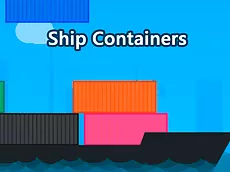
Ship Containers
Ship Containers is a logic-based puzzle game where players must organize cargo efficiently using mouse controls to solve spatial challenges and clear various levels.
About Ship Containers
This HTML5 title focuses on spatial reasoning and logic. Players interact with containers, arranging or moving them within a specific range to solve puzzles. Developed by mzworks, the game offers a clean and straightforward interface that makes it accessible for players of all ages, particularly those who enjoy methodical problem-solving and organizational tasks.
The gameplay emphasizes precision and planning over speed. As a pure puzzle experience, it challenges the mind without requiring fast reflexes. It is ideal for those who prefer a calm, intellectual pace, focusing on the core mechanics of spatial organization and the satisfaction of finding the correct placement for every piece of cargo on the screen.
Why players like Ship Containers
- Straightforward logic-based puzzles that test spatial awareness.
- Relaxing, methodical gameplay pace with no time pressure.
- Clean and intuitive mouse-driven interface for easy interaction.
- Accessible design suitable for both children and adult puzzle fans.
Instructions

How to play
Use your mouse to select and move containers across the play area. The objective is to use logic to arrange the cargo correctly according to the level's layout. Focus on the spatial relationship between different items and move them strategically. Since the game utilizes range-based mechanics, pay close attention to the boundaries and available space to ensure every container fits into its designated position.
Tips for beginners
- Observe the entire layout before moving your first container to identify potential bottlenecks.
- Plan your sequence of moves ahead of time to avoid blocking necessary paths.
- If a specific arrangement isn't working, try resetting your approach and focusing on the largest items first.