- Games
- Multiplayer
- Battle S.W.A.T vs Mercenary
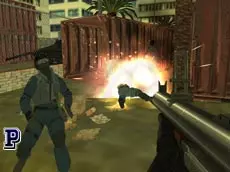
Battle S.W.A.T vs Mercenary
Battle S.W.A.T vs Mercenary is a fast-paced multiplayer FPS where players choose sides in tactical 3D combat, featuring a variety of weapons and classic shooting mechanics.
About Battle S.W.A.T vs Mercenary
This 3D first-person shooter pits S.W.A.T teams against mercenaries in competitive environments. Built on the Unity engine, the game focuses on traditional multiplayer combat where precision and movement are key to overcoming opponents. Players can switch between a broad arsenal of weapons, adapting their strategy to different combat scenarios in real-time.
The gameplay emphasizes tactical positioning, allowing for different stances like crouching or going prone to gain a better vantage point or reduce visibility. It caters to fans of classic browser-based shooters who enjoy direct, skill-based competition and straightforward team-based dynamics without complex setup times.
- Genre: Multiplayer, 3D
- Platform: Browser
- Mode: Multiplayer
- Developer: Mentolatux
- Mobile support: No
- Release: 09/10/2016
Why players like Battle S.W.A.T vs Mercenary
- Fast-paced 3D multiplayer action
- Wide selection of weapons accessible via number keys
- Tactical movement options including prone and crouch positions
- Smooth performance on WebGL-compatible browsers
Instructions


TAB = menu
1...9 = weapons
P = fullscreen
R = reload
SPACE = jump
CTRL = prone
C = crouch
SHIFT = run
T = chat
How to play
Join a match and select your team to begin the round. Use standard movement keys to navigate the environment and the mouse to aim and fire at targets. Managing your ammunition is vital, so remember to reload during quiet moments. You can cycle through your available weaponry using the number keys and use the chat function to communicate with other players during the session.
Tips for beginners
- Use the prone and crouch keys to lower your profile and become a harder target.
- Switch between weapons depending on the distance of your engagement.
- Keep an eye on your ammunition count and reload before entering a new encounter.
- Communicate with your team via the chat key to coordinate movements.