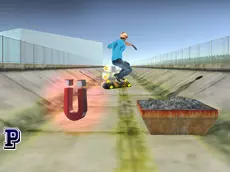
Amazing Skater 3D
Amazing Skater 3D is a skill-based sports game where you navigate through environments, performing tricks and upgrading your equipment to achieve higher scores in a responsive 3D setting.
About Amazing Skater 3D
This 3D sports title puts players in control of a skater navigating various environments. Using the arrow keys to maintain momentum and the spacebar to execute tricks, the core experience focuses on precision and timing. The WebGL-powered visuals provide a clear view of the obstacles and paths ahead, allowing for a responsive skill-based gameplay loop that rewards consistent practice.
As players progress, the upgrade system allows for improvements to the skating experience. This makes the game suitable for fans of sports simulations who enjoy mastering movement mechanics and gradually enhancing their performance. The combination of trick execution and environment navigation offers a steady challenge for those looking to test their reflexes and spatial awareness.
Why players like Amazing Skater 3D
- Responsive 3D movement and trick mechanics.
- Progression through an integrated upgrade system.
- Clean WebGL graphics that enhance the sense of speed.
- Skill-based challenges that reward precise timing.
Instructions
 = ride
SPACE = tricks
ESC = pause
 = interaction/change camera
How to play
Use the arrow keys to guide your skater through the 3D environment, maintaining speed while avoiding obstacles. Press the spacebar at appropriate moments to perform tricks and earn points. You can change your perspective using the mouse to better anticipate upcoming turns or jumps. Navigate the menus to access upgrades that improve your skater's capabilities as you aim for better results in each session.
Tips for beginners
- Time your tricks carefully to ensure a safe landing and maintain momentum.
- Use the mouse to adjust the camera for a better view of distant obstacles.
- Prioritize upgrades that help compensate for your specific gameplay challenges.