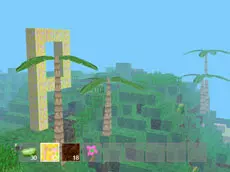
Mine Clone 2
Mine Clone 2 offers a creative sandbox environment where players can build, modify terrain, and experiment with different block types directly in their web browser.
About Mine Clone 2
This block-based building game allows for extensive environmental manipulation. Players can explore a vast world, adding trees and selecting from various block types to construct structures or alter the landscape. The open-ended nature of the gameplay focuses on creative freedom, providing a space to experiment with layout and design without immediate pressure.
The game features several interactive elements, including a workshop for crafting and the ability to change block types on the fly. Its straightforward mechanics make it accessible for fans of sandbox strategy who enjoy shaping their surroundings. Whether you are planting forests or building complex bases, the focus remains on individual expression and construction.
- Genre: Strategy
- Platform: Browser
- Mode: Singleplayer
- Mobile support: No
- Release: 07/29/2015
Why players like Mine Clone 2
- Freedom to build and modify the entire environment.
- Quick access to different block types for varied construction.
- Simple terrain manipulation, including adding trees instantly.
- Smooth browser-based performance with adjustable quality settings.
Instructions


E = workshop
T = throw
C = add a tree
123 = change blocks
Y = quality
SPACE = jump
How to play
Use the keyboard to navigate the world and jump over obstacles. Interact with the environment using your mouse to place or remove elements. Access the workshop to explore building options and switch between block types using number keys to customize your creations. You can also instantly add trees to the landscape or discard items as you refine your structures.
Tips for beginners
- Use the quality toggle if you experience performance issues during large builds.
- Switch block types frequently to add visual variety to your structures.
- Utilize the workshop menu to see available building and crafting possibilities.
- Experiment with the tree placement tool to quickly change the landscape's appearance.