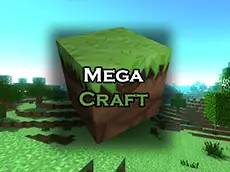
MegaCraft - Build your perfect world
MegaCraft offers a creative 3D sandbox environment where you can shape the terrain and build structures using various blocks in a style inspired by classic voxel-based exploration games.
About MegaCraft - Build your perfect world
This 3D building game provides a vast open space for players to express their architectural ideas. Using a first-person perspective, you navigate a world made of blocks, allowing for detailed construction and modification of the landscape. The game focuses on the core mechanics of placing and removing materials to create anything from simple shelters to complex landmarks. It is a digital canvas for anyone who enjoys spatial design and creative experimentation.
Designed for fans of creative puzzles and sandbox environments, it emphasizes freedom and spatial planning. With an intuitive inventory system, you can easily access different block types to suit your design needs. The straightforward mechanics make it accessible for all ages, providing a relaxing way to experiment with 3D design and world-building directly in your browser.
Why players like MegaCraft - Build your perfect world
- Complete creative freedom to build and modify 3D environments.
- Vast selection of blocks available through an easy-to-use inventory.
- Relaxing sandbox gameplay without strict time limits or pressure.
- Smooth 3D navigation and intuitive voxel-based mechanics.
Instructions

 (left & scroll & right btn)
E = inventory
SPACE = jump
ESC = menu
How to play
Use the WASD keys to move through the world and the spacebar to jump over obstacles. Access your collection of materials by opening the inventory with the E key. Use the mouse to look around, and click the left or right buttons to interact with the environment by placing or removing blocks. You can cycle through your active building materials using the scroll wheel for quick adjustments while constructing.
Tips for beginners
- Use the inventory key frequently to explore the full variety of available building blocks.
- Experiment with the scroll wheel to quickly switch between materials without reopening menus.
- Plan your structures from the ground up to ensure an organized building process.