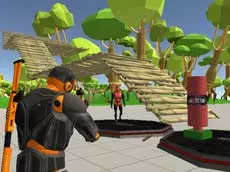
Fort Shooter Simulator
Fort Shooter Simulator combines tactical building with first-person shooting, allowing players to construct defensive structures while managing an arsenal of weapons in a 3D environment.
About Fort Shooter Simulator
This simulator blends action and defense mechanics by giving players the tools to create their own fortifications. Using a variety of building options, you can shape the environment to your advantage, creating barriers or high vantage points. The integration of building and shooting creates a sandbox-style experience where positioning and architecture are just as important as accuracy. The game focuses on the core loop of constructing defenses and testing your shooting skills in a responsive Unity 3D space.
Players can switch between multiple firearms to handle different situations while navigating the map. The freedom to build and shoot simultaneously caters to those who enjoy tactical simulators that offer creative control alongside traditional gunplay. Whether you are focusing on perfecting a structure or practicing your aim, the game provides a versatile platform for tactical experimentation.
- Genre: Action
- Platform: Browser
- Mode: Singleplayer
- Developer: FreezeNova
- Mobile support: No
- Release: 01/22/2019
Why players like Fort Shooter Simulator
- Hybrid building and shooting mechanics allow for creative gameplay.
- Quickly switch between multiple weapons and construction tools.
- Freedom to design and build custom defensive layouts.
- Smooth 3D movement and responsive controls for tactical positioning.
Instructions


14 = guns
57 = build
SPACE = jump
SHIFT = run
L = lock mouse cursor
R = reload
How to play
Use the WASD keys to navigate the environment and the mouse to aim and fire. Switch between your available weapons using keys 1 through 4. To construct defensive structures, select the building tools with keys 5, 6, and 7. Remember to reload with R and use Shift to run when you need to reposition. Press L to lock your cursor for more precise aiming and camera control.
Tips for beginners
- Switch between building and shooting modes frequently to adapt to your current needs.
- Use the sprint and jump functions to maintain mobility while constructing your fortifications.
- Keep your weapons reloaded during downtime to ensure you are always ready for action.
- Experiment with different building structures to find the most effective defensive vantage points.