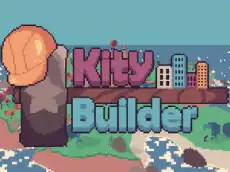
Kity Builder (Prototype)
Explore a charming 3D world as a cat character in this creative prototype, where you can move freely and experiment with different environmental actions and building elements.
About Kity Builder (Prototype)
Kity Builder (Prototype) offers a relaxed adventure set in a vibrant, anime-inspired 3D environment. Players control a feline character, navigating through stylized landscapes using familiar movement controls. As a prototype, it focuses on the core feeling of exploration and interaction within a colorful world, providing a peaceful experience for those who enjoy animal-themed games and creative environments.
The game blends elements of makeover and construction, allowing players to influence their surroundings. With its simple mechanics and bright visual style, it serves as an accessible sandbox for younger players and fans of the genre. It emphasizes discovery over high-stakes action, making it a suitable choice for a casual gaming session where the goal is simply to wander and build.
Why players like Kity Builder (Prototype)
- Charming anime-inspired visual style.
- Relaxing, open-ended exploration.
- Simple and intuitive control scheme.
- Creative freedom to interact with the environment.
Instructions

 (scroll)
SHIFT = action selection
SPACE = jump
How to play
Use the WASD keys to move your character around the map and the spacebar to jump over obstacles. The shift key allows you to cycle through different action selections, which you can use to modify or build within the world. Use the mouse scroll wheel to adjust your view, helping you navigate the terrain and position your character accurately as you explore the various areas of the prototype.
Tips for beginners
- Use the jump mechanic to reach higher platforms or clear small gaps in the terrain.
- Experiment with the shift key to see which building or interaction modes are currently available.
- Adjust the camera zoom with the scroll wheel for a better perspective on your construction projects.