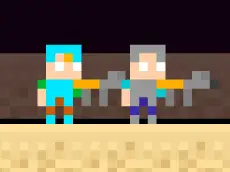
Steve and Alex TheEnd
Steve and Alex TheEnd is a cooperative action game where two players must work together to navigate hazardous environments and reach the final destination to complete their journey.
About Steve and Alex TheEnd
Steve and Alex TheEnd brings the iconic duo into a collaborative action setting focused on teamwork. This title requires two players to coordinate their movements and actions to overcome obstacles within each level. Designed for local multiplayer, it challenges players to synchronize their efforts while navigating through environments that test timing and cooperation.
The game features a straightforward visual style that keeps the focus on the core gameplay mechanics. It is particularly suited for friends or siblings looking for a shared experience on a single device. As an HTML5 game, it runs directly in the browser, making it accessible for quick sessions without requiring any installation or specialized hardware.
Why players like Steve and Alex TheEnd
- Engaging local two-player cooperative gameplay.
- Simple control scheme that is easy to learn for all ages.
- Focus on teamwork and shared problem-solving.
- Quick level structures ideal for short gaming breaks.
Instructions
 P
P  Q
Q
How to play
In this two-player action game, one player controls Steve using the WASD keys while the other guides Alex with the arrow keys. Both characters must navigate the environment and reach the designated end point together. Use the Q and P keys for specific actions or pausing the game. Success depends on moving in tandem and ensuring both characters survive the trek to the exit.
Tips for beginners
- Communicate with your partner to time jumps and movements simultaneously.
- Wait for each other at difficult sections to avoid leaving one player behind.
- Experiment with the Q key to see how it interacts with the current level elements.
- Use the pause function if you need to stop and plan your next move.