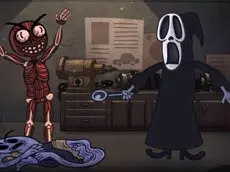
Trollface Quest: Horror I
Trollface Quest: Horror I brings the series' signature absurdist humor to the world of scary movies, challenging you to solve unconventional puzzles using point-and-click logic.
About Trollface Quest: Horror I
This entry in the Trollface Quest series focuses on horror-themed scenarios, blending logic puzzles with dark humor. Players must navigate through various levels inspired by spooky tropes, but the solutions are rarely straightforward. Instead of following traditional logic, the game rewards experimental thinking and finding the most unexpected way to interact with the environment to progress through each stage.
The game is designed for those who enjoy quick, bite-sized challenges and a satirical sense of humor. Each stage presents a scene where you must click the right elements in the correct order to trigger a successful outcome. It appeals to fans of the series and anyone looking for a casual puzzle experience that subverts expectations at every turn.
Why players like Trollface Quest: Horror I
- Clever parodies of classic horror movie tropes.
- Unpredictable and humorous puzzle solutions.
- Simple, intuitive point-and-click interface.
- Quick levels suitable for short gaming sessions.
Instructions

How to play
Use your mouse to interact with the objects and characters on the screen. Each level requires a specific sequence of clicks to trigger the correct event. If you fail, the level restarts, allowing you to try a different approach. The goal is to identify the hidden interactive elements within each scene and find the illogical path required to outsmart the game and move to the next challenge.
Tips for beginners
- Avoid conventional logic, as the most obvious solution is usually a trap.
- Experiment by clicking on different parts of the background to find hidden triggers.
- Observe how the scene changes after a click to determine the next step in the sequence.