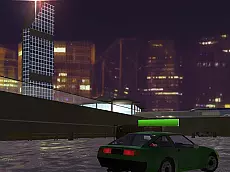
Crash Day Demolition - Dubai Arena
Enter the Dubai Arena for high-impact driving action where skill and vehicle control are essential for navigating the demolition environment and surviving the intense automotive chaos.
About Crash Day Demolition - Dubai Arena
Crash Day Demolition - Dubai Arena is a 3D driving game centered on vehicle impacts and arena-based navigation. Set in a specialized environment, players take control of vehicles designed for heavy contact, focusing on the physics of demolition. The gameplay emphasizes spatial awareness and precision driving within the confines of the arena, using Unity 3D technology to deliver responsive car handling and visual feedback during collisions.
This title appeals to fans of automotive destruction who enjoy testing the limits of their vehicles. It suits players looking for a skill-based experience where managing momentum and positioning is as important as raw speed. Whether you are navigating the arena's layout or engaging with the environment, the focus remains on the mechanical satisfaction of the drive and the consequences of high-speed impacts.
- Genre: Driving
- Platform: Browser
- Mode: Singleplayer
- Developer: Smartline-Games
- Recommended age: 7+
- Mobile support: No
- Release: 06/07/2019
Why players like Crash Day Demolition - Dubai Arena
- Engaging 3D vehicle physics and demolition-focused mechanics.
- Specialized arena setting designed specifically for high-impact driving.
- Straightforward keyboard controls that prioritize driving skill and precision.
- Switchable camera perspectives to better track the action and surroundings.
Instructions
 = drive
C = camera
ENTER = reset car
How to play
Use the arrow keys to accelerate, steer, and reverse through the Dubai Arena. Your primary objective is to navigate the space and manage your vehicle during high-impact sequences. If your car becomes stuck or flipped during the action, press the Enter key to reset your position instantly. You can also toggle the camera view using the C key to maintain the best perspective on your surroundings and obstacles.
Tips for beginners
- Use the reset key immediately if you lose momentum or get trapped against arena boundaries.
- Switch camera views frequently to better judge the distance between your car and obstacles.
- Maintain a balance between high speed for impact and controlled steering for precise maneuvering.