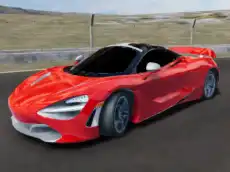
Drift Hunter 2
Drift Hunter 2 offers a focused drifting experience where players master vehicle control and precision across various tracks to build momentum and achieve high scores in this 3D simulator.
About Drift Hunter 2
This driving simulator emphasizes the art of controlled sliding and vehicle handling. Built with Unity 3D, Drift Hunter 2 provides a responsive environment where physics play a crucial role in maintaining successful drifts. Players must balance speed and angle to navigate corners effectively, making it a test of skill for those who enjoy precision racing and car control mechanics.
The game features a progression system that rewards technical driving. By mastering the timing of the handbrake and nitro boosts, players can refine their technique across different settings. It is designed for enthusiasts of the drifting genre who appreciate a focused, skill-based challenge that prioritizes car physics over traditional lap-based racing.
Why players like Drift Hunter 2
- Responsive 3D drifting physics and car handling.
- Rewarding progression system for consistent performance.
- Multiple camera perspectives to suit different driving styles.
- Strategic use of nitro to extend drifts and maintain speed.
Instructions
 = drive
C = camera
SPACE = handbrake
SHIFT = nitro
P = pause
How to play
Use the arrow keys to accelerate and steer into corners. Initiate a slide by applying the handbrake while turning to break traction. Once the car begins to drift, counter-steer to maintain the angle while managing your throttle. If you need a burst of speed to extend a drift or recover momentum, activate the nitro. You can toggle the camera view to find the best perspective for judging track distances.
Tips for beginners
- Feather the throttle during a slide to prevent the vehicle from spinning out.
- Use the handbrake only briefly to initiate a drift without losing excessive speed.
- Switch camera views to find an angle that helps you better anticipate upcoming turns.
- Save your nitro for long curves where extra power is needed to keep the drift going.