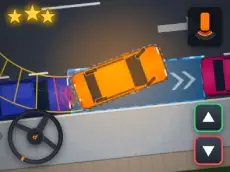
Parking Practice Simulator
Master the art of vehicle positioning in Parking Practice Simulator, a skill-focused driving game designed to test your precision and control through various challenging maneuvers.
About Parking Practice Simulator
Parking Practice Simulator offers a dedicated environment for players to refine their car handling skills. Unlike high-speed racing games, this simulator emphasizes careful movement, spatial awareness, and exact positioning. It provides a realistic approach to navigating tight spaces, making it an excellent choice for players who enjoy technical driving challenges over arcade-style competition.
The game features helpful tools such as guide indicators and overview perspectives to assist with complex movements. Whether you are centering your steering or adjusting your zoom for a better look at your surroundings, the control scheme allows for granular adjustments. It suits fans of the simulator genre who appreciate a methodical pace and rewarding precision.
- Genre: Driving
- Platform: Browser
- Mode: Singleplayer
- Developer: Vrealmatic
- Recommended age: 7+
- Mobile support: Yes
- Release: 10/08/2026
Why players like Parking Practice Simulator
- Technical precision: Focuses on realistic car maneuvers rather than speed.
- Utility tools: Features like overview mode and guides help players align their vehicles.
- Methodical gameplay: Encourages a calm, deliberate approach to driving tasks.
- Customizable view: Zoom controls allow for better visibility during tight turns.
Instructions


SPACE = brake
C = center steering
R = restart
ESC = pause
+- = zoom
F = overview
G = guide
How to play
Control your vehicle using the keyboard to navigate into designated spots. Use the brake to stop accurately and the centering function to reset your steering when needed. If you lose your orientation, the overview and guide functions provide better perspective and direction. The objective is to park successfully without collisions, using the zoom keys to monitor your distance from obstacles and curbs.
Tips for beginners
- Use the overview function to check your vehicle's alignment from a bird's-eye perspective.
- Tap the brake button frequently for minor adjustments instead of maintaining constant speed.
- Enable the guide feature if you are unsure of the correct path or angle for a maneuver.
- Use the zoom controls to get a closer look at the car's corners when navigating narrow passages.