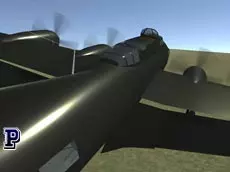
Real Flight Simulator 2
Real Flight Simulator 2 offers a detailed 3D aviation experience where players master complex controls to pilot aircraft through realistic environments, focusing on technical skill and flight precision.
About Real Flight Simulator 2
This 3D flight simulator emphasizes technical accuracy and manual control, providing a sophisticated environment for aviation enthusiasts. Players take command of the cockpit, managing everything from engine ignition and throttle to flaps and landing gear. The game focuses on the core mechanics of flight, requiring careful attention to elevation, pitch, and rudder adjustments to maintain stability in the air.
Designed for those who appreciate a methodical approach to flying, the experience rewards patience and precision. Whether you are practicing takeoffs or navigating through the sky using various camera perspectives, the simulation provides a grounded sense of scale and physics. It is an ideal choice for players seeking a skill-based challenge that goes beyond simple arcade-style flying.
- Genre: Driving, 3D
- Platform: Browser
- Mode: Singleplayer
- Developer: Faramel Games
- Mobile support: No
- Release: 01/05/2018
Why players like Real Flight Simulator 2
- Comprehensive control scheme including flaps and landing gear management.
- Multiple camera perspectives for better situational awareness.
- Realistic 3D environments that enhance the sense of immersion.
- Focus on technical skill and manual aircraft operation.
Instructions
H = controls
E = start engine
0/9 = throttle
ESC = pause
↑/↓ = elevation
←/→ = turning
X/Z = rudder
W/Q = flaps
W/S = collective pitch
G = landing gear
123 = views
C = camera
M = mouse joystick
K = standard inputs
How to play
Begin by starting the engine and increasing the throttle to gain speed for takeoff. Use elevation controls to lift the aircraft and retract the landing gear once airborne. Manage your speed and flaps to maintain steady flight, and use the rudder for precise directional adjustments. You can switch between different camera views or use the mouse joystick mode to find the most comfortable way to navigate your flight path.
Tips for beginners
- Monitor your throttle and flap settings carefully during takeoff and landing to maintain lift.
- Switch between camera views to get a better perspective of the horizon and your landing strip.
- Use the rudder for minor directional corrections to keep the aircraft level while turning.
- Retract your landing gear immediately after takeoff to reduce drag and increase flight efficiency.