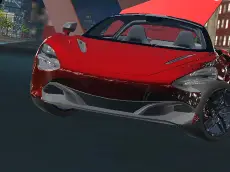
Top Speed 2
Experience realistic driving in Top Speed 2, a 3D car simulator where you can test vehicle performance, utilize nitro boosts, and even record your best runs.
About Top Speed 2
Top Speed 2 is a detailed 3D driving simulator designed for players who enjoy testing car limits in a virtual environment. Built with Unity 3D, the game emphasizes a realistic feel, allowing you to explore the mechanics of high-speed handling and vehicle control. It provides a focused experience centered on the core mechanics of driving, catering to those who appreciate technical precision over arcade-style racing.
The game includes specialized features like a recording system, which lets you capture your driving sessions and play them back to analyze your performance. Whether you are practicing tight turns with the handbrake or testing the acceleration power of nitro, this simulator offers a clean and responsive platform for car enthusiasts to refine their skills and experiment with different driving styles.
- Genre: Driving
- Platform: Browser
- Mode: Singleplayer
- Developer: Faramel Games
- Recommended age: 3+
- Mobile support: No
- Release: 10/23/2020
Why players like Top Speed 2
- Smooth 3D graphics powered by Unity for an immersive feel.
- Functional nitro system for rapid acceleration on straightaways.
- Unique recording feature to review and analyze driving sessions.
- Multiple camera angles to suit different player preferences.
- Responsive handbrake mechanics for controlled maneuvers.
Instructions

C - camera
F - nitro
R - record
P - play record
SPACE - handbrake
How to play
Use the WASD keys to steer and accelerate through the environment. When you need a sudden burst of power, activate the nitro with the F key. For tight corners or controlled slides, engage the handbrake using the spacebar. You can switch your perspective with the C key to find the best view for your driving style. Use the recording keys to document and review your most impressive maneuvers.
Tips for beginners
- Use the handbrake sparingly to maintain momentum during sharp turns.
- Save your nitro for long straight sections to reach the vehicle's maximum velocity.
- Cycle through camera views to find the perspective that offers the best visibility for your current task.
- Utilize the record and play functions to identify specific points where your handling can be improved.