- Games
- Multiplayer
- Pixel Gun Apocalypse 3
Pixel Gun Apocalypse 3
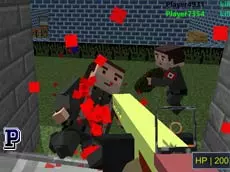
Pixel Gun Apocalypse 3 is a fast-paced multiplayer FPS that blends blocky aesthetics with competitive shooting, offering players a variety of weapons and maps for intense online combat.
About Pixel Gun Apocalypse 3
This entry in the Pixel Gun series continues the tradition of 3D arena-based action. It features a distinct visual style inspired by voxel-based worlds, setting a familiar backdrop for its first-person shooting mechanics. Players can choose from an arsenal of different firearms, ranging from standard rifles to specialized equipment, as they navigate various environments designed for tactical engagements.
The gameplay focuses on team-based or individual skill, requiring quick reflexes and spatial awareness. With support for multiplayer matches, it caters to fans of classic shooters who enjoy the combination of simple graphics and competitive depth. The inclusion of movement options like crouching and prone positions adds layers to how players approach each encounter.
- Genre: Multiplayer, 3D, Action
- Platform: Browser
- Mode: Multiplayer
- Game Series: Pixel Gun
- Developer: Mentolatux
- Mobile support: No
- Release: 08/09/2016
Why players like Pixel Gun Apocalypse 3
- Engaging multiplayer matches with a blocky, Minecraft-inspired aesthetic.
- A wide selection of weapons accessible via numerical hotkeys.
- Multiple movement options including sprinting, jumping, and going prone.
- Part of the established Pixel Gun series known for consistent FPS action.
Instructions


1...6 = guns
R = reload
C = crouch
CTRL = prone
SHIFT = run
SPACE = jump
T = chat
P = fullscreen
TAB = pause
How to play
Use the WASD keys to move through the environment and the mouse to aim and fire at opponents. Switch between your available weapons using the 1 through 6 keys to adapt to different combat ranges. Utilize the shift key to run into position or the control and C keys to lower your profile, making you a harder target during firefights.
Tips for beginners
- Reload your weapon during quiet moments with the R key to ensure you are ready for the next encounter.
- Use the prone position to hide behind low cover or reduce your visibility in open areas.
- Keep an eye on the chat via the T key to coordinate with other players during the match.