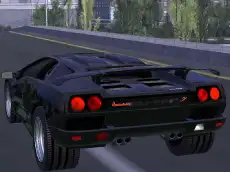
City of Vice Driving
City of Vice Driving offers an urban exploration experience behind the wheel, allowing players to navigate through detailed city streets and master their vehicle control in a 3D environment.
About City of Vice Driving
City of Vice Driving is a 3D driving simulator that places you in the driver's seat within a sprawling urban landscape. Built on the Unity engine, the game focuses on the sensation of cruising through a city, offering a realistic perspective of street navigation and vehicle handling. It caters to players who enjoy the freedom of open-road driving without the pressure of strict racing objectives or time limits.
The gameplay emphasizes smooth movement and environmental awareness. As you navigate the grid, you can toggle between different camera perspectives to find the most comfortable view for your driving style. Whether you are practicing precise turns or simply enjoying the city layout, the straightforward mechanics make it accessible for casual players looking for a relaxed driving session.
Why players like City of Vice Driving
- Detailed 3D urban environment for exploration.
- Simple and responsive keyboard-based controls.
- Multiple camera views to customize the driving perspective.
- Relaxed gameplay style focused on driving mechanics.
Instructions

SPACE
C = view
How to play
Navigate your vehicle through the city streets using the keyboard. Use the WASD keys to steer, accelerate, and reverse. The space bar is available for stopping or slowing down quickly during tight maneuvers. If you want a different perspective of the car or the surrounding environment, press the C key to cycle through the available camera views until you find your preferred angle.
Tips for beginners
- Switch camera views frequently to get a better sense of your car's position relative to the curbs.
- Use the space bar for more immediate braking when approaching sharp intersections.
- Practice smooth steering adjustments with the WASD keys to maintain better control at higher speeds.