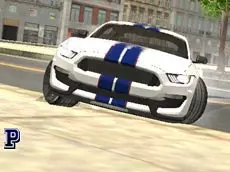
Top Speed Muscle Car
Get behind the wheel of powerful muscle cars in this driving simulator that emphasizes vehicle customization and realistic handling for fans of classic American automotive power.
About Top Speed Muscle Car
Top Speed Muscle Car offers a focused driving experience centered on the raw power of classic performance vehicles. As a simulator, it prioritizes the feeling of controlling heavy, high-torque cars across various environments. Players can experiment with different models and instantly switch between them to compare their unique handling characteristics and engine responses.
The game appeals to automotive enthusiasts who enjoy fine-tuning their experience, featuring adjustable camera angles and immediate visual customization. With mechanics like manual ignition and clutch control, it provides a more granular level of interaction than standard arcade racers. Whether you are testing top speeds or practicing precise maneuvers, the emphasis remains on the relationship between the driver and the machine.
- Genre: Driving
- Platform: Browser
- Mode: Singleplayer
- Developer: Faramel Games
- Mobile support: No
- Release: 07/31/2017
Why players like Top Speed Muscle Car
- Instant car swapping and on-the-fly color customization.
- Realistic simulation features including clutch and manual ignition.
- Multiple camera perspectives for immersive driving.
- Built-in repair and snapshot functions for continuous gameplay.
Instructions
 = ride
 = change car color
T = snapshot
R = car repair
GH = change car
C = change camera
I = ignition
SHIFT = clutch
SPACE = hand brake
How to play
Start the engine using the ignition key and use the arrow keys to navigate. You can switch between different muscle cars instantly or modify your current vehicle’s color using the mouse. The simulation includes manual elements like the clutch and hand brake for more advanced maneuvers. If the vehicle sustains damage during high-speed runs, use the repair function to restore it, and capture your best moments with the snapshot tool.
Tips for beginners
- Use the hand brake to manage tight corners and initiate controlled slides.
- Cycle through camera views to find the best perspective for high-speed stability.
- Keep the repair key handy to quickly fix mechanical issues after collisions.
- Experiment with different car models to find the handling profile that suits your driving style.