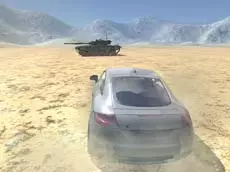
Derby Crash 2
Experience high-speed 3D driving and vehicle destruction in Derby Crash 2, a realistic simulator where physics-based car damage and open exploration take center stage for driving enthusiasts.
About Derby Crash 2
Derby Crash 2 builds upon the foundation of its predecessor, offering a sophisticated 3D driving environment focused on realistic vehicle physics. This simulator allows players to push various cars to their limits, emphasizing the visual and mechanical impact of high-speed collisions. The open-world design encourages experimentation with different terrains and obstacles, providing a sandbox for those who enjoy technical driving and car deformation.
The game caters to fans of the Derby Crash series who appreciate detailed car models and the ability to toggle features like slow-motion for a better view of the action. With its focus on skill-based driving and vehicle maintenance, it suits players looking for a more grounded, simulation-heavy alternative to traditional arcade racing games.
Why players like Derby Crash 2
- Realistic 3D car deformation and damage physics.
- Open-world environment designed for free-form driving.
- Slow-motion feature to observe impacts in detail.
- Instant repair and reset options to keep the action moving.
Instructions
 = drive
SPACE = handbrake
C = camera
ENTER = reset car
T = slow mode
R = repair car
How to play
Navigate the environment using standard driving controls to explore the map and test the limits of your vehicle. Use the handbrake for tight turns and drift maneuvers across different surfaces. If your car sustains too much damage during a collision, use the repair function to restore it instantly or reset your position if you become stuck. Switch between camera angles to find the best perspective for your current driving style.
Tips for beginners
- Activate slow-motion mode just before impact to see the physics engine in action.
- Master the handbrake to maintain control during high-speed drifts or sharp turns.
- Regularly use the repair function to keep your car performing at its peak after heavy hits.
- Experiment with different camera views to better judge distances and impact angles.