Scrap Metal 2
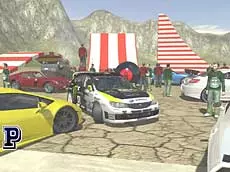
Take control of high-performance vehicles in this 3D driving sandbox where you can test physics limits, manipulate obstacles, and explore a vast open environment at your own pace.
About Scrap Metal 2
Scrap Metal 2 is a 3D driving simulation that emphasizes open-ended exploration and vehicle interaction. Unlike traditional racing games, it provides a playground where players can experiment with various cars and environmental obstacles. The inclusion of a manual gearbox, clutch, and handbrake controls suggests a focus on technical driving dynamics, allowing for precise maneuvers or high-speed stunts across the terrain.
The game stands out for its sandbox approach, giving users the tools to modify their surroundings and manage vehicle damage in real-time. With multiple camera angles and a slow-motion feature, players can analyze every collision or jump from various perspectives. It is an ideal choice for those who enjoy technical driving, physics-based experimentation, and the freedom to create their own challenges without the pressure of a ticking clock.
Why players like Scrap Metal 2
- Detailed car physics and real-time damage modeling.
- Ability to place and move obstacles using mouse controls.
- Technical driving features like manual shifting and slow-motion.
- Multiple camera perspectives for immersive exploration.
- Relaxed sandbox environment with no strict objectives.
Instructions

 + CTRL = move with obstacles
1...8 = views
T = slow motion
SHIFT = clutch
FV = gearbox
SPACE = handbrake
ENTER = reset car
R = repair car
How to play
Navigate the 3D environment using the arrow keys for steering and acceleration. Use the spacebar for the handbrake to execute tight turns. You can interact with objects on the map by holding CTRL and using your mouse to reposition obstacles. If your vehicle sustains too much damage during stunts, press the repair key to restore it instantly. Toggle through different camera views to find the best perspective for your current activity.
Tips for beginners
- Use the slow-motion key to observe how the car's suspension and body react to heavy impacts.
- Experiment with the manual gearbox and clutch for better control over engine power and torque.
- If you get stuck or flip over, use the reset function to return to a safe position quickly.
- Arrange obstacles with the mouse to create custom stunt courses or technical paths.