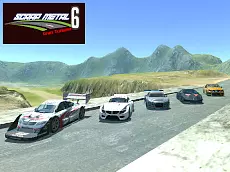
Scrap Metal 6
Experience high-performance driving and vehicle customization in Scrap Metal 6, a simulation-focused sandbox where you can push diverse cars to their limits and manipulate your environment.
About Scrap Metal 6
Scrap Metal 6 continues the series' focus on realistic driving physics and creative freedom. As a sandbox simulator, it provides a selection of vehicles for you to test across open terrain. The core experience centers on the interaction between the cars and the environment, allowing for high-speed maneuvers, technical driving, and the ability to rearrange obstacles to create custom stunt paths or challenges.
This installment is designed for players who appreciate mechanical depth over structured racing. With features like manual gear shifting, clutch control, and a dedicated repair system, the game emphasizes the tactile feel of driving. Whether you are testing the limits of a vehicle's suspension or setting up complex obstacle courses, the emphasis remains on skill-based exploration and physics-based experimentation.
Why players like Scrap Metal 6
- Advanced driving physics including manual gearbox and clutch controls.
- Interactive environment manipulation for custom obstacle placement.
- Detailed damage mechanics with an instant repair system.
- Multiple camera perspectives to enhance the simulation experience.
- Slow-motion mode for analyzing stunts and high-speed crashes.
Instructions

 + CTRL = move with obstacles
1...8 = views
T = slow motion
SHIFT = clutch
FV = gearbox
SPACE = handbrake
ENTER = reset car
R = repair car
How to play
Navigate your vehicle using the arrow keys while managing technical aspects like the handbrake and gearbox for precise control. Use the mouse combined with the CTRL key to reposition obstacles within the arena to build your own tracks. If your vehicle sustains too much damage during high-speed maneuvers, use the repair function to restore it instantly or reset your position to start fresh.
Tips for beginners
- Use the slow-motion toggle to navigate tight turns or adjust your vehicle mid-air.
- Switch between the eight available camera views to find the best perspective for placing obstacles.
- Master the manual gearbox and clutch to maintain better torque during off-road sections.
- Regularly use the repair key to keep your vehicle in peak condition after heavy impacts.