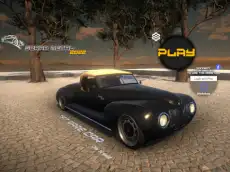
Scrap Metal 2022
Scrap Metal 2022 offers a sandbox driving experience where you can test various vehicles, experiment with physics, and utilize advanced controls like manual shifting and slow motion.
About Scrap Metal 2022
This entry in the long-running series focuses on a sandbox driving environment built with Unity 3D. It provides players with a selection of vehicles to navigate across open terrain, emphasizing realistic handling and mechanical interaction. The inclusion of manual gear shifting and a clutch system suggests a simulation-heavy approach, catering to those who enjoy more technical control over their driving experience.
The game encourages experimentation through its interactive features. Players can manipulate time with slow-motion effects or quickly recover from collisions using the repair and reset functions. Its open-ended nature makes it suitable for players who prefer exploring vehicle limits and physics-based interactions without the pressure of traditional racing objectives or strict time limits.
Why players like Scrap Metal 2022
- Advanced driving mechanics including manual gears and clutch.
- Open sandbox environment designed for free-roaming exploration.
- Slow-motion feature for observing physics and crashes in detail.
- Instant repair and reset tools to keep the action moving.
Instructions


SHIFT = clutch
FV = gears
T = slow motion
R = repair
ENTER = reset car
C = camera
SPACE = handbrake
How to play
Navigate the environment using the keyboard to steer and accelerate. You can choose between automatic or manual driving by utilizing the clutch and gear keys. If the vehicle becomes damaged or stuck during exploration, use the repair and reset functions to restore it instantly. Experiment with different camera angles to find the best view for navigating obstacles or performing maneuvers within the open-world map.
Tips for beginners
- Use the slow-motion toggle to better manage tight turns or observe vehicle physics.
- Master the clutch and gear shifts for more precise control over the engine's power.
- Switch camera views frequently to gain a better perspective on your surroundings.
- Don't hesitate to use the reset key if you find yourself flipped or wedged in terrain.