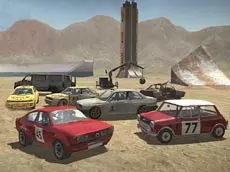
Scrap Metal 5
Scrap Metal 5 offers a sandbox driving experience where players can test various vehicles, perform drifts, and manipulate obstacles in a physics-based environment designed for automotive experimentation.
About Scrap Metal 5
This entry in the Scrap Metal series focuses on open-ended driving simulation and vehicle interaction. Players can explore a dedicated arena while switching between different camera angles to capture the action from various perspectives. The game emphasizes physics and car handling, allowing for high-speed maneuvers and drifting across the terrain with different vehicle types.
Beyond simple driving, the simulation provides tools to modify the environment by placing and moving obstacles. This flexibility makes it ideal for players who enjoy sandbox games where they can set up their own stunts or test how different cars react to various hurdles. The inclusion of manual shifting and a clutch adds an extra layer of depth for those seeking a more technical simulation.
Why players like Scrap Metal 5
- Realistic vehicle physics and drifting mechanics.
- Interactive environment with movable obstacles for custom stunts.
- Multiple camera perspectives to enhance the driving experience.
- Technical features like manual gear shifting and clutch control.
- Instant repair and reset functions for uninterrupted gameplay.
Instructions

 + CTRL = move with obstacles
1...8 = views
T = slow motion
SHIFT = clutch
FV = gearbox
SPACE = handbrake
ENTER = reset car
R = repair car
How to play
Use the arrow keys to accelerate and steer your vehicle across the map. You can experiment with advanced driving techniques using the handbrake for drifts or the manual gearbox for more precise control. To customize the arena, hold CTRL and use the mouse to arrange obstacles. If your car sustains damage or flips over during a stunt, use the repair or reset keys to continue your session.
Tips for beginners
- Use the slow-motion toggle to observe vehicle physics and impacts in greater detail.
- Cycle through the eight different camera views to find the best angle for specific maneuvers.
- Combine the handbrake and clutch to maintain higher RPMs during tight drifts.
- Utilize the reset function immediately if your vehicle becomes wedged between obstacles.