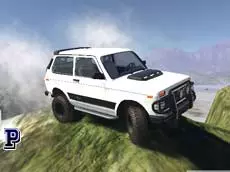
Scrap Metal 3: Infernal Trap
Experience a sandbox driving simulation where you can test various vehicles across rugged terrain, manipulate obstacles, and push cars to their mechanical limits in a 3D environment.
About Scrap Metal 3: Infernal Trap
Scrap Metal 3: Infernal Trap is the third installment in the vehicle simulation series, focusing on open-world driving and mechanical destruction. Players select from a variety of vehicles, including heavy-duty monster trucks, to navigate a vast landscape. The core experience revolves around the freedom to explore and experiment with the physics of different car models in a technical playground without rigid race objectives.
A standout feature is the interactive environment, which allows for the placement and manipulation of obstacles directly on the map. This simulator emphasizes mechanical realism, featuring a dedicated repair system for damage sustained during stunts and a slow-motion mode to observe impacts. It suits players who enjoy sandbox-style driving, vehicle testing, and managing car performance across challenging terrain.
Why players like Scrap Metal 3: Infernal Trap
- Interactive environment that allows for manual obstacle placement.
- Detailed vehicle damage system with an instant repair mechanic.
- Variety of drivable vehicles including specialized monster trucks.
- Slow-motion feature for analyzing physics and high-speed crashes.
Instructions

 = work with obstacles
1...8 = views
T = slow motion
SHIFT = clutch
I = inventory
L = lights
SPACE = handbrake
ENTER = reset car
R = repair car
How to play
Navigate your vehicle across the open map using the arrow keys. Use the mouse to interact with the environment and position obstacles for custom stunts. Monitor your vehicle’s condition and use the repair function if damage affects performance. You can switch between eight different camera perspectives to find the best view for driving or observing collisions, and toggle slow motion to see the physics engine in action during maneuvers.
Tips for beginners
- Access the inventory to select and place new objects or ramps into the world.
- Use the reset function immediately if your vehicle flips or becomes trapped in the terrain.
- Toggle the clutch during high-speed turns or technical maneuvers for better handling.
- Experiment with different camera angles to improve precision when navigating tight obstacles.